My lab is in an in-between state, with 3x HP EliteDesk 800 G3 SFFs (Skylake i5-6500) and two new HP EliteDesk 800 G4 units (i7-8700). Until last week, the 3x HP EliteDesk G3s were in a 3 node vSan 7 setup (non express architecture) which is Samsung 860 standard SSD for storage and Samsung evo 970 NVM for caching. I don’t have any other shared storage on my lab (Synology / QNAP/ etc) So, for those times I need to re-create my vSan 2.7 TB datastore, each of the hosts also has a 1 TB Patriot SSD which I can use to storage vMotion any VMs on each host
Here is my build log for migrating from vSan 7 to vSan 8 express architecture
Friday Sept 22, 2023
Storage vMotion operations for all VMs on my main 2.7 TB vSan datastore to local storage as well to one of the two new HP EliteDesk 800 GF units, had to be done powered off, as the CPU types are different between the clusters
Ran through process to unmount vSan datastore / vSan cluster config from all 3 existing ESXi hosts
Some vCLS orphans remained, had to run through the following KB to remove them before the vSan datastore stopped showing at the top of my vCenter datastore view
Sept 27, 2023
Decommissioned one of the 3 older hosts, and shifted over 1 Gb / 10 Gb PCI express cards, as well as RAM / storage to the second HP EliteDesk G4 800 units
Sept 28, 2023
Installed latest ESXi 8.0.1, 21813344 on second HP EliteDesk G4 800 that received the ported over hardware the previous night
Added server to new cluster named 8700 inside vCenter

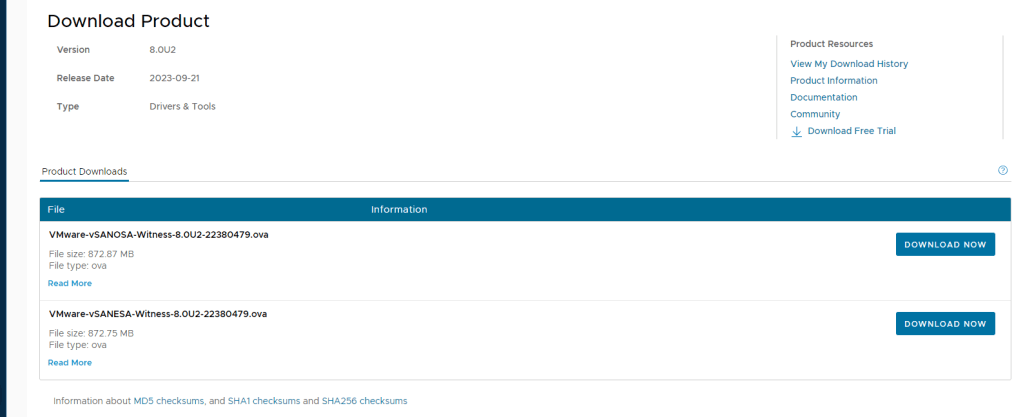
Downloaded / deployed vSan ESA witness appliance
A gracefully powered off all VMs on 2 hosts that I’ll be adding to a new cluster
I then created a new cluster I called “8700”, one cause it sounds kind of cool, 2 because it denotes the Intel CPU type inside
I set maintenance mode on each of the hosts, and move them into the new cluster, attached VDS networking and ran through the cluster QUICKSTART ; which is a pre-req for vSAN BIZNUZZ

With the prep work done, let’s actually enable vSan services on the new 2 node cluster
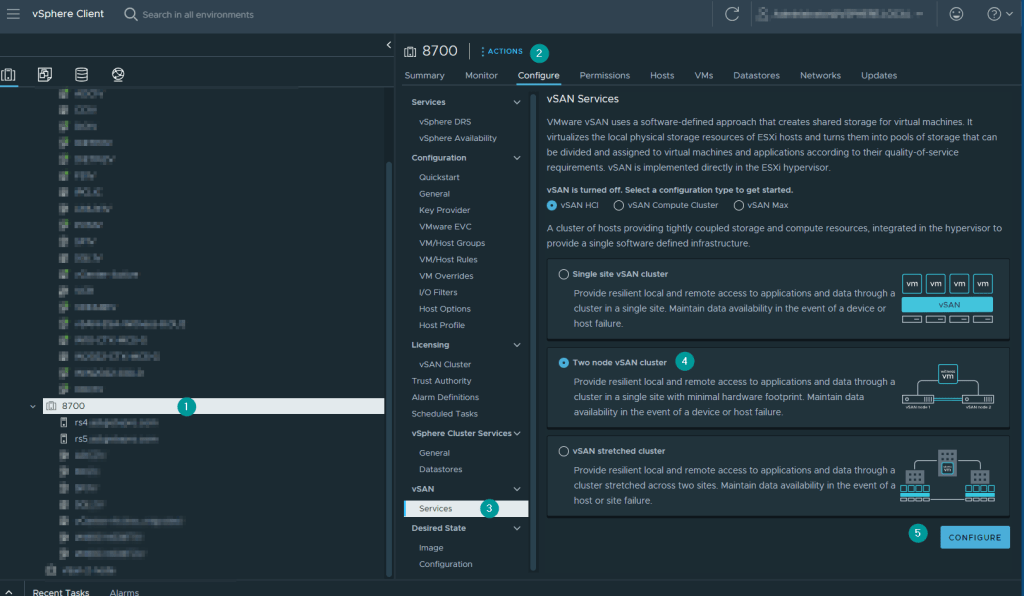
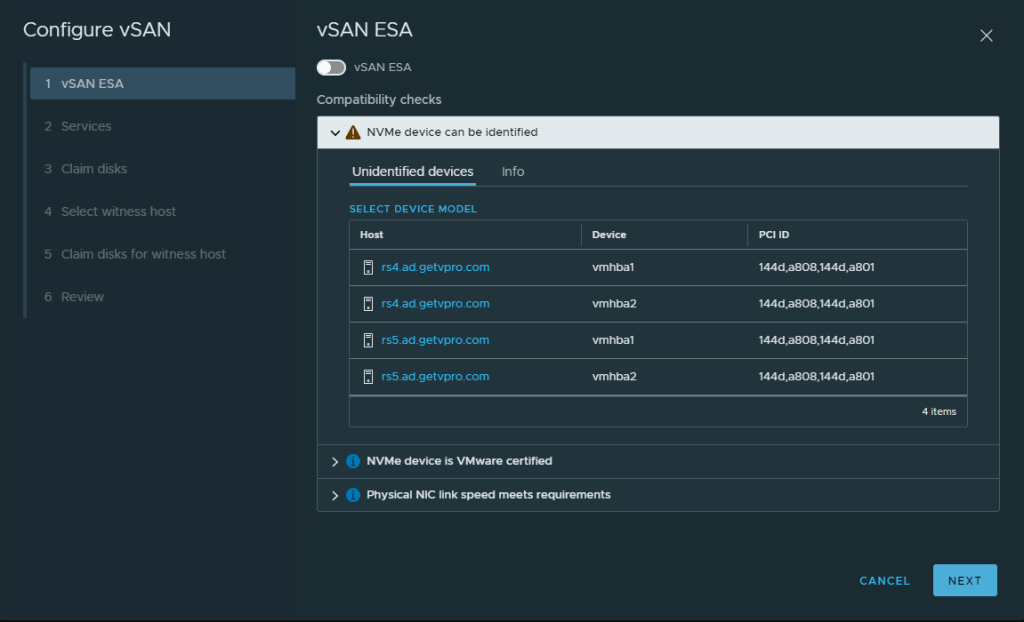
My Samsung NVMs aren’t certified, but that’s ok
Services page
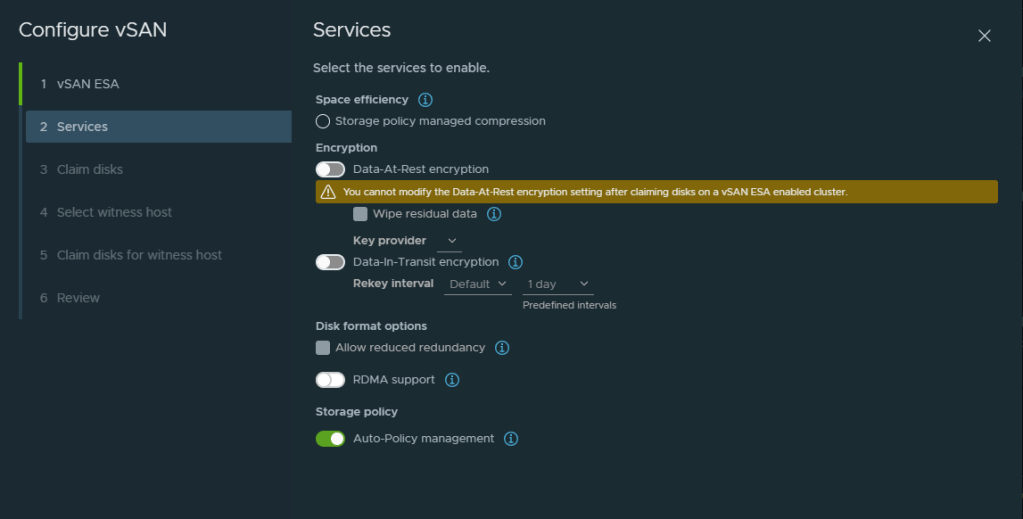
De-dupe has a new name with the vSAN ESA wizard, shown below
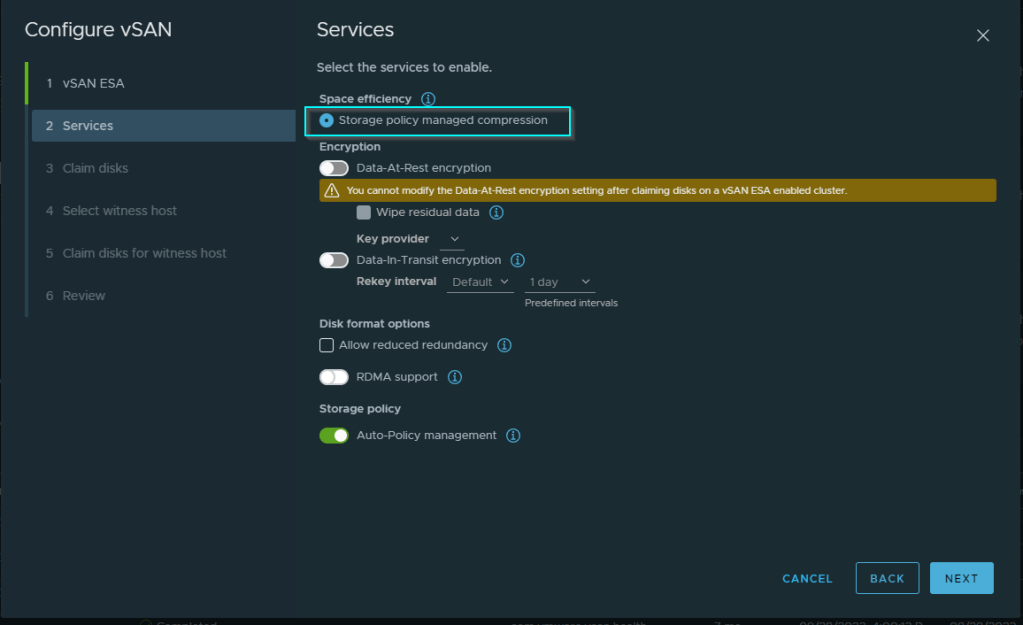
Another warning about incompatible disks again, would BERNIE MAC (RIP) care? I think not, NEXT!
For my vSan 7 work, i’ve always had odd issues / failures on choosing the disks during the wizard, so, I’m not claiming them on the below screen

The wizard ran and generated some false negative errors due to not having selected the disks
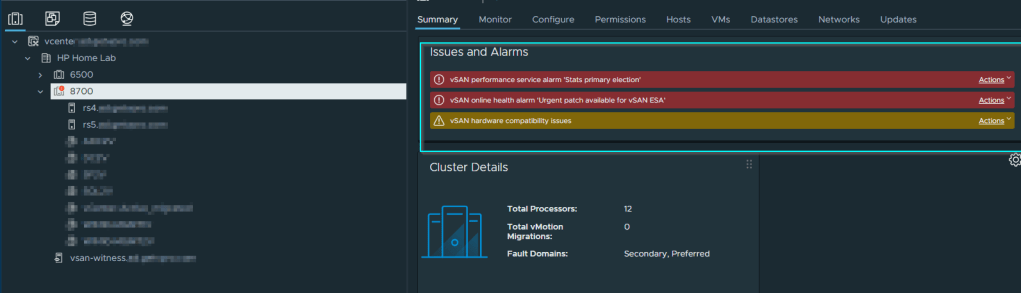
When done, I claimed the 4x Samsung NVM drives as below

The drives were initialized into the vSan cluster, and now i’m ready to start testing
I vMotioned a VM from a local SSD to the new 3.3 TB vSan array, and hit it with my favorite disk benchmarking tool, Crystal Disk Mark, the speeds are excellent, and very close to what I’d
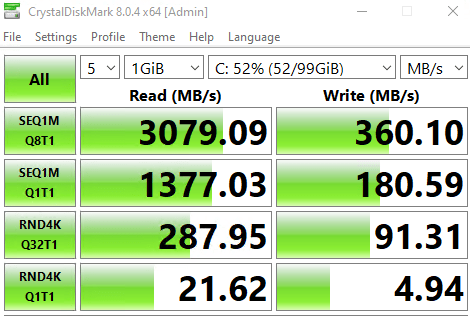
Nov 28, 2023
After several weeks of troubleshooting, I had to destroy the 2 node vSan 8 setup and roll back my ESXi 8.0.1.21813344 hosts to ESXi 7.0.3.21930508
Reason being, I was noting an intermittent issue, where the Intel DA2 type 10GBe NICs were going onto an offline state at least once per day, forcing me to reboot the host to recover
I was noting it, as the associated IP on the VMK was flipping to a 169.254.x.x based address, and VMs were showing in a disconnected state
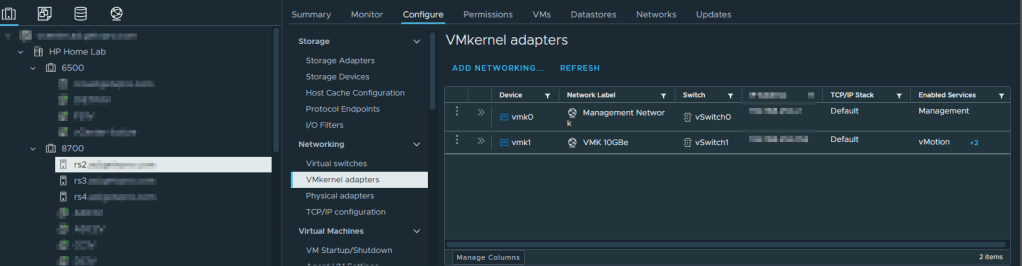
I tried several things to resolve the issue, amended BIOS power settings, different versions of ESXi, swapped cables, but the result was the same, the VMKernel would go into an offline state at least once per day. It should be noted, even with the vSan 8 ESA setup removed, the VMKs were still going offline, so, it wasn’t purely vSan related, rather to do with interoperability
I’m a glass-half full kinda guy, the exercise of going through the vSan 8 ESA steps on my home lab was useful practice before I do it on client hardware, but for now, I won’t be able to proceed with migrating over my main VM workloads to vSan 8 ESA due to the disconnects noted with my Intel DA2 10GBe SFP NICs on my HP EliteDesk G4 800s
Thanks for reading and have a great day 😎
 Owen Reynolds Personal blog