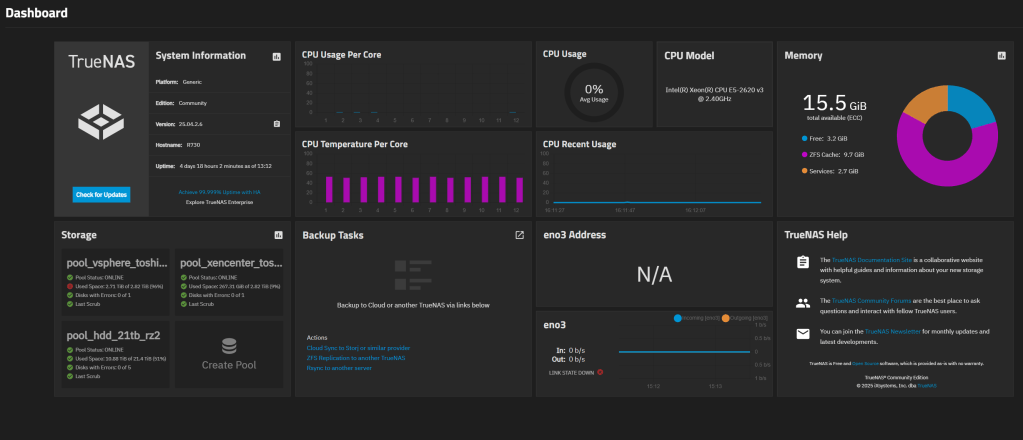
INTRO
I’ve been running TrueNAS at home for about 2 years now, first purely as an iSCSI NVM target for vSphere datastores via an older HP EliteDesk G4 SFF box. It never let me down, so, this year, I decided to expand my use, bought a Dell R730 LFF to replace my existing vSphere based windows file server
GOALS
1: Exit usage of windows VMs for file servers, I don’t mind hosting apps on my file server, PLEX etc, but I wanted to get away from having a single windows file server pinned to a single ESXi host with a large HDD inside, windows requires a LOT more maintenance than something like TrueNAS, which can remain up for days/weeks/months without intervention
2: Proper expansion via hot swap bays:
Traditionally, every few years, I would buy a large 3.5 format HDD, install it in a single ESXi host, serve the files for a few years, run low, then replace, rinse-wash-repeat
3: Provide a means to properly support my two environments, i recently migrated ALL my Citrix VMs to XenServer 9, while retaining the vSphere ESXi 8 suite for everything else
This year, with the Dell R730 LFF w 12 3.5 bays, I finally had something scalable
I started with just Two 3.5″ trad format 7 TB HDDs for a RAID 0 array for backups served via SMB / CIFS to my home network of mostly windows clients
Towards the end of August 2026, I expanded the 5 drives on RAIDZ2, if you’re not familiar with the various ZFS types, here they are:
| Type | RAID equivalent | Fault tolerance | Min. disks | Usable capacity |
|---|---|---|---|---|
| RAID 0 (stripe) | RAID 0 | None | 1+ | ~97% |
| RAIDZ1 | RAID 5 | 1 disk failure | 3 | ~64% |
| RAIDZ2 | RAID 6 | 2 disk failures | 4 | ~47% |
Current server inventory
- 1x Dell R730 LFF running TrueNAS for SMB @ 22 TB HDD / iSCSI SSD @ 3 TB
- 1x Dell R640 for vSphere 8 / 1x HP EliteDesk G4 as vSphere DR
- 1x Dell R640 for XenServer 9 / 1x HP EliteDesk G4 as XenServer DR
- 1x HP EliteDesk G3 for OPNSense
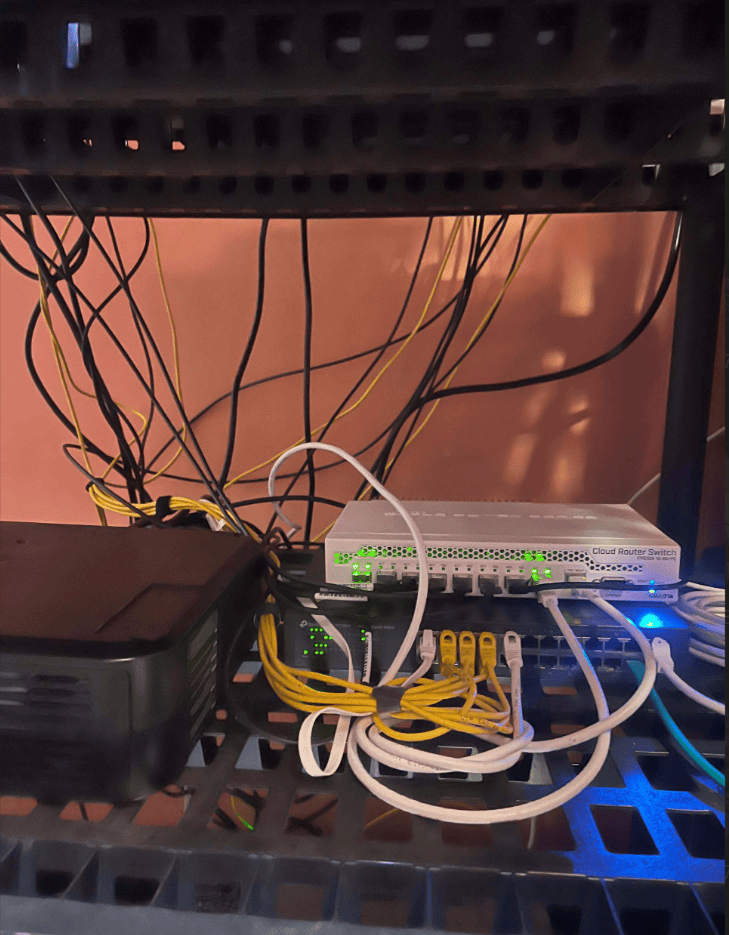
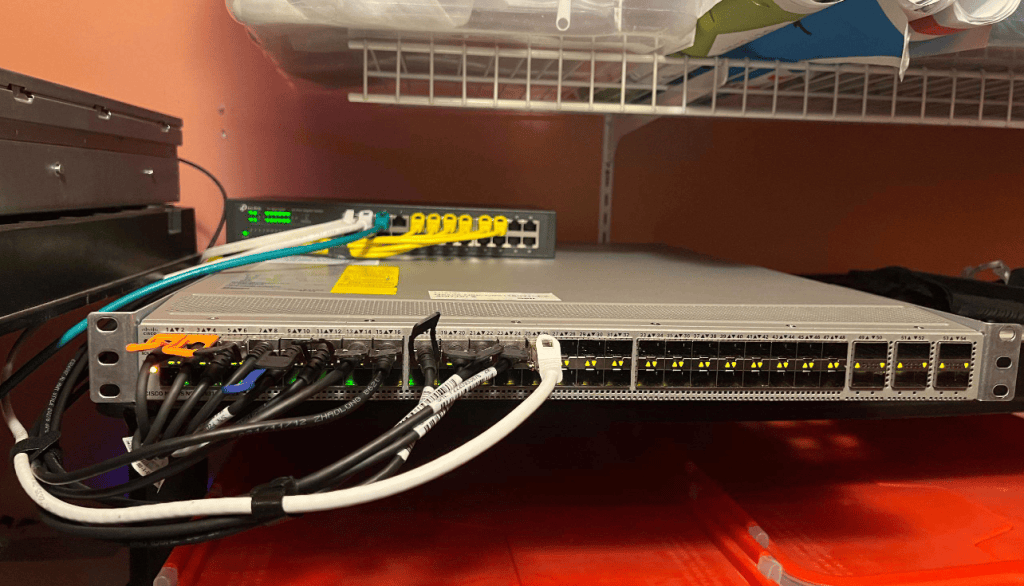
- 10 GB networking via MikroTik CRS309-1G-8S+in
Build-steps and initial hick-ups
I chose version TrueNAS regular (not scale) 25.04.2.6 to support a clean AD join for CIFS (SMB) sharing, in testing other versions last year, I ran into OSS whack-a-mole to get a stable version to support CIFS/SMB/AD join
The Dell R730 I choose, had an older 2.5 PATA drive , I had setup email based alerts on TrueNAS to catch errors, and the instance started throwing errors related to services going down, a quick smart check showed bad sectors
smartctl -a /dev/daX
I popped in a new SSD drive (see related post on bad luck I had with Patriot brand) and ran through the below steps to seamlessly sync my TrueNAS OS install from one HDD to the new SSD
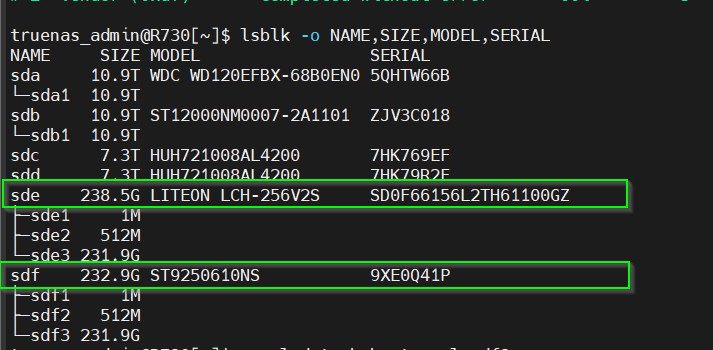
To start, you need to ID the device ID of the source / destination drives, this can be done via the web GUI, or CLI, I choose CLI
The drive giving my grief was an older Seagate brand with device ID SDF, it’s SSD replacement from LITE-ON that wasn’t showing any smart errors is SDE
lsblk -o NAME,SIZE,MODEL,SERIAL
#Check current boot-pool statuszpool status boot-pool#Add the new drive to the boot pool and re-silver proces to mig datazpool attach boot-pool sdf3 sde3#Monitor copy status / wait for it to completezpool status boot-pool#Detach the old drive once the re-silver process is donezpool detach boot-pool sdf3#One last validation passzpool status boot-pool
Performance tuning
With the boot drive issue fixed, I proceed to setup pools/shares for NFS on the XenServer side and iSCSI for my vSphere workloads
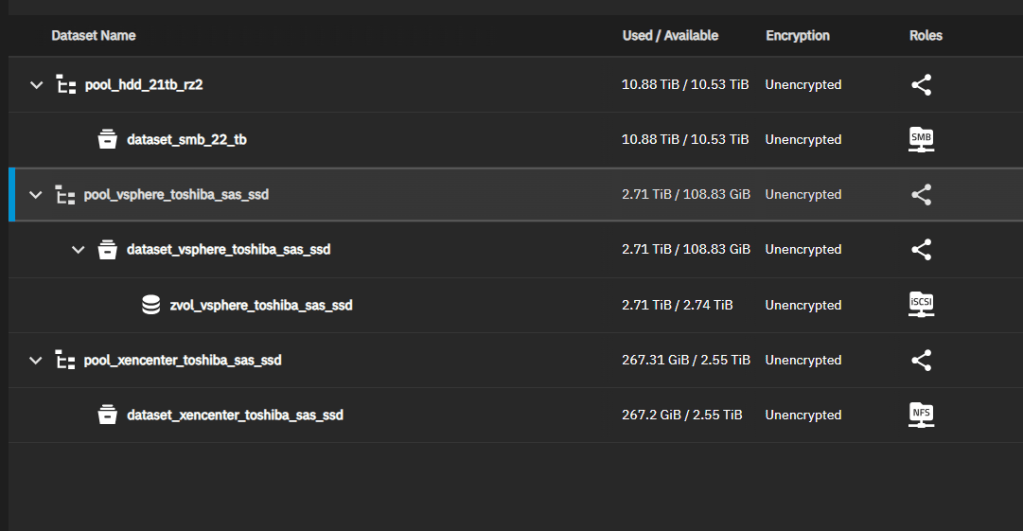
I didn’t complete any performance testing until mid August 2026, and noted less then optimal write speeds from some test VMs
To resolve it, I had to over-ride the defaults for a few obscure TrueNAS
| Setting | CLI | Impact |
| Enable SMB Multichannel | midclt call smb.update ‘{“multichannel”: true}’ + restart SMB service | Went from sustained writes of just 60 MB / sec → 160 MB/s |
| Increase TrueNAS NIC queues | ethtool -L enp5s0f1 combined 8 | I increased the queues from 3 to 8 queues; this provided a marginal iperf3 gain (3.6→3.95 Gbit/s) |
The final setting change that made all the difference, was vSphere side
I had recently re-built my vCenter, the work was done with a mix of 1 GbE / 10 GbE networking while I waited to consolidate on a new combined 10 GbE switch with more than 8 ports, my previous switch was Mikrotik , great brand, but I had chosen 8 ports in 2019, and now have a requirement for 12 (2 SFP + ports for each of my 6 servers at home)
The vSphere VM I was using for testing SMB performance on TrueNAS was LEFT on the default ‘VM network’ built into every ESXi / vSphere install, and that network was associated to a virtual switch physically ccabled to a 1 GB NIC , shown below under vSwitch0

I moved over the test VM to the 10 GbE on vSwitch1 …
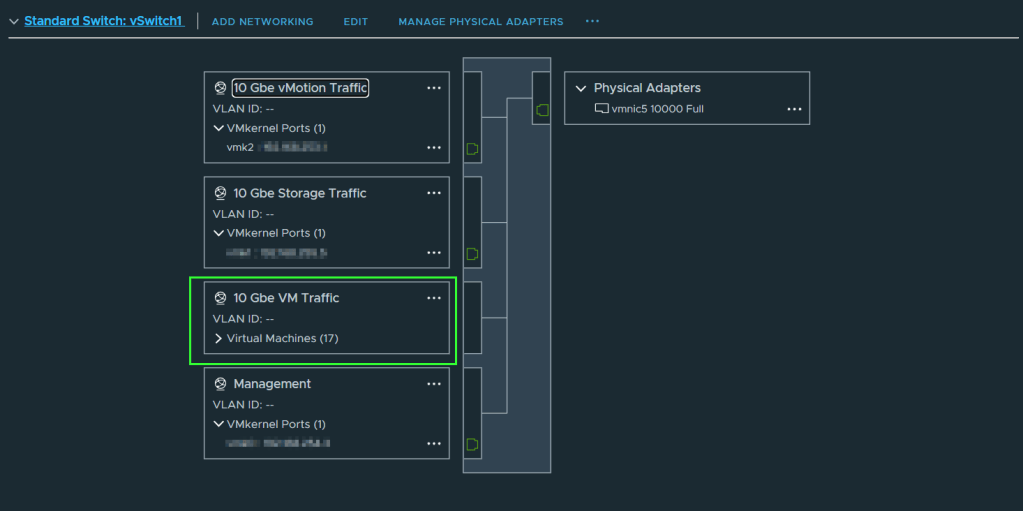
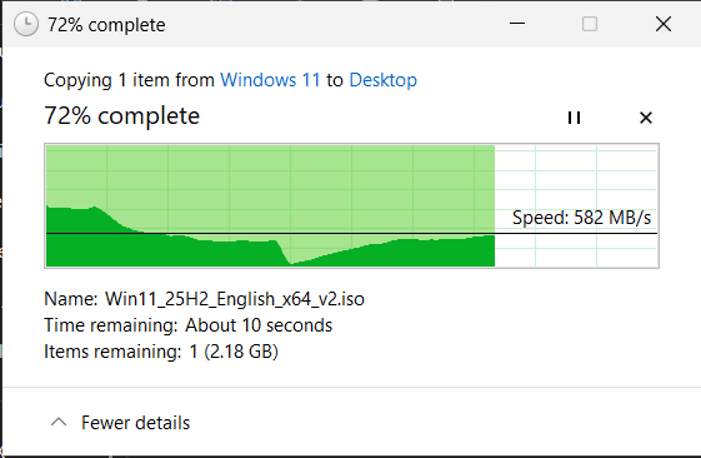
The result was a 3x increase in speed, from an avg of 160 MB/sec to 582 MB sec write times
Cabling clean-up
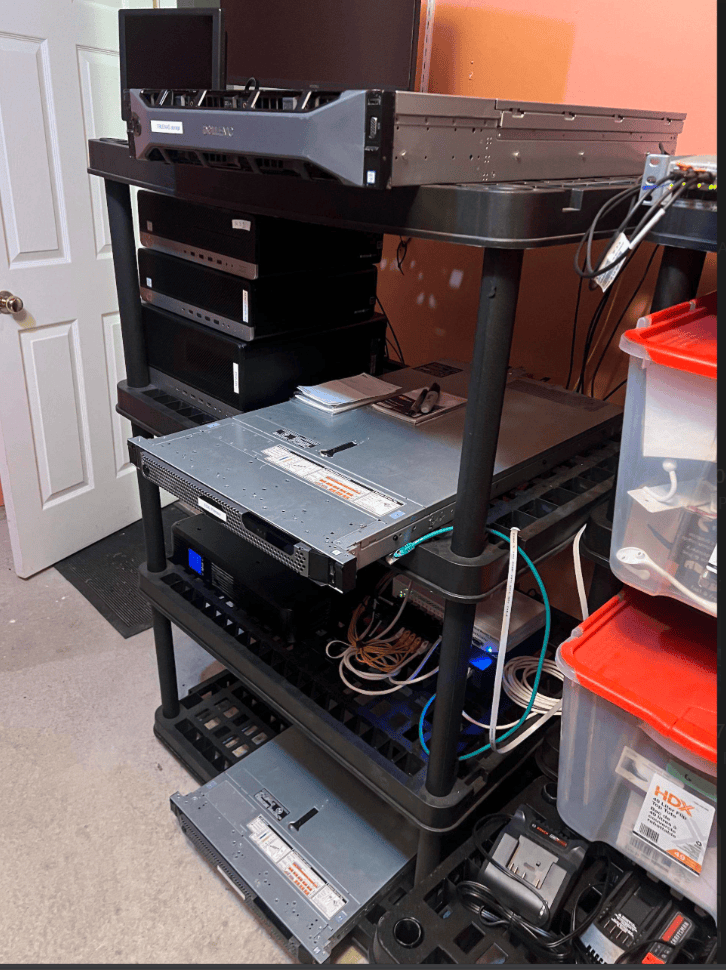
Aug 31, 2026, during some down-time after work, I was feeling inspired, so took a few hours to completely re-do my ‘rack’ setup in my attached garage
I make a fair amount of changes to my home gear setup, I’ve got a mix of 19″ profile servers and HP SFF format desktops, so, I prefer NOT to rack anything in the traditional style, so my setup is based on a home depot modular shelf, works great!
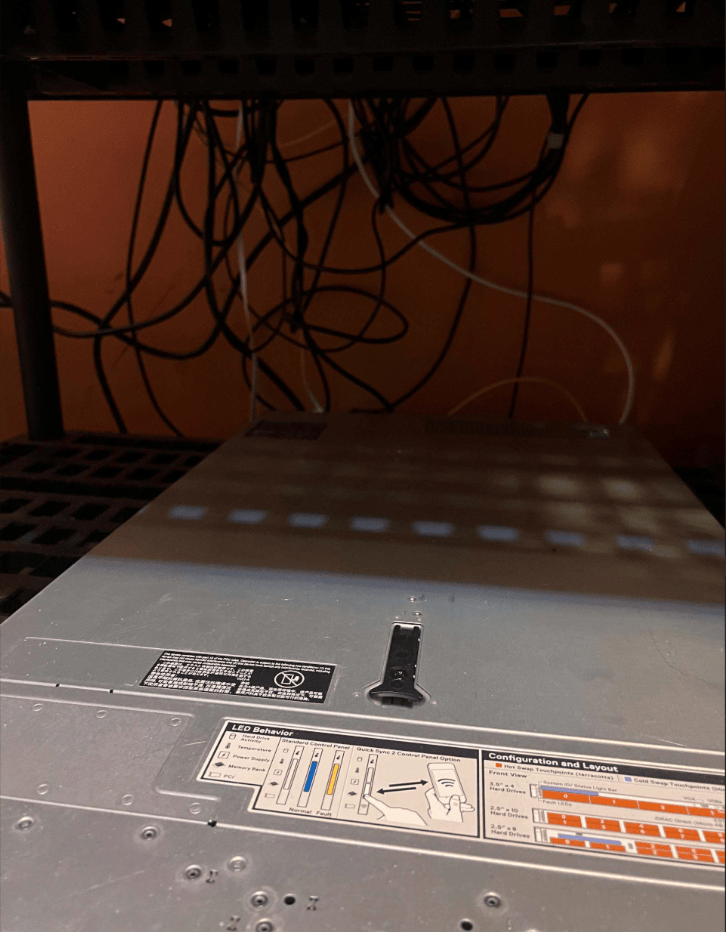
Here’s a before pic, quite the mess, lots of random cables dangling around
Step 1: I removed all the items, and put them in my home gym area
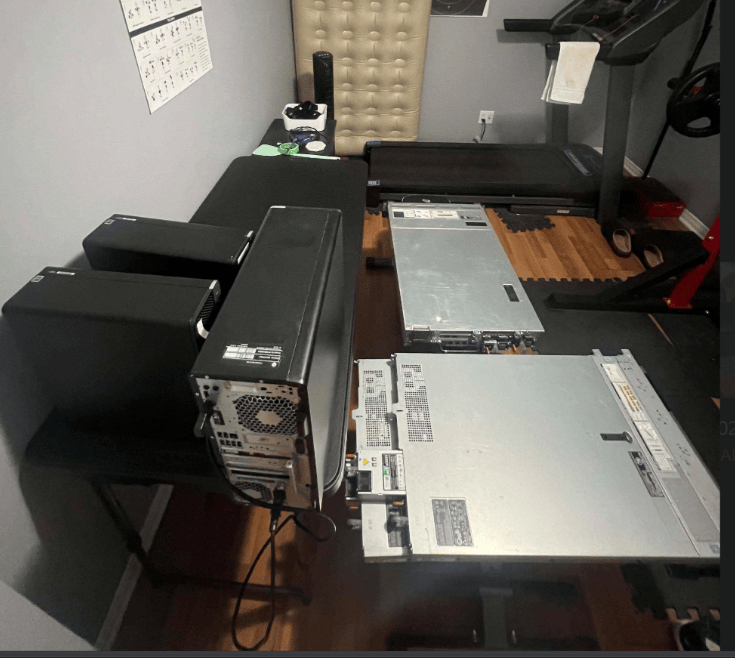
STEP 2: I placed the shelf on a moveable dolly to make the work easier
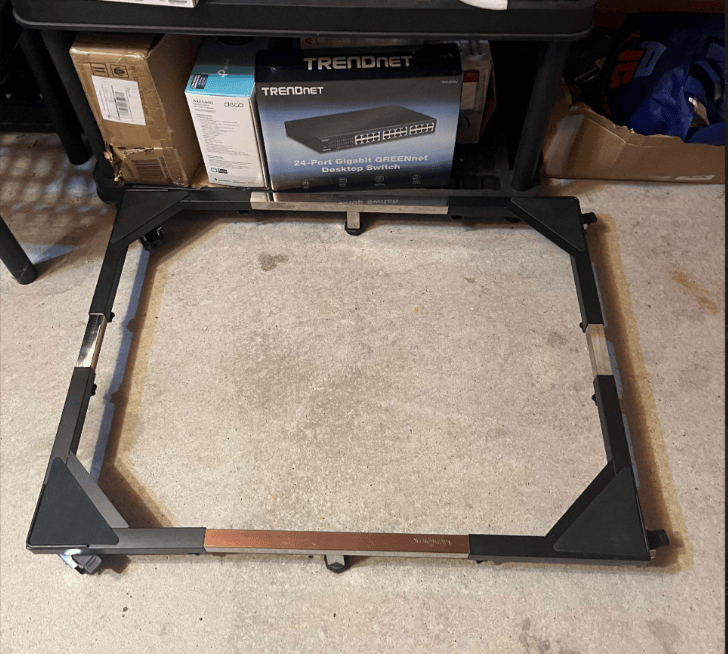
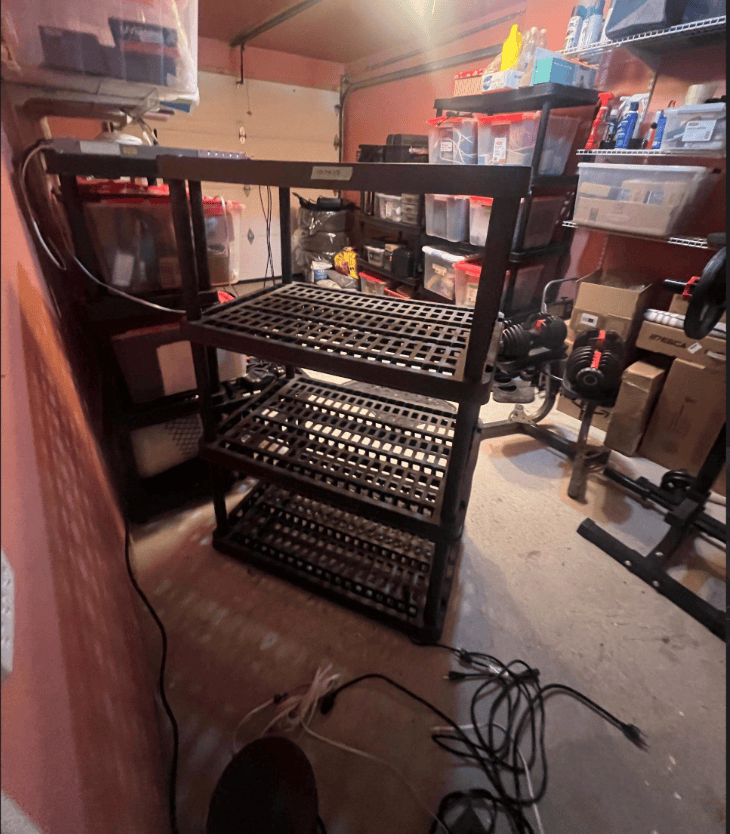
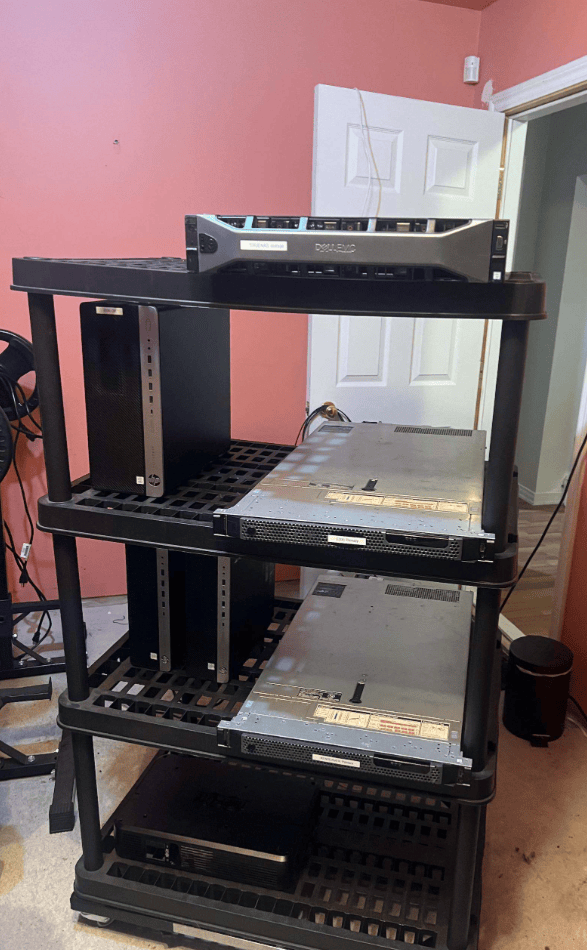
STEP 3: With the servers and SFF desktops back on the shelf, it was time to cable power, IPMI and 10 GB SFP +
All cables were secured with velcro ties, I ran power cables on the left side, IPMI cables in yellow and SFP 10 GbE cables on the right
the end result is a LOT cleaner, from the front , cables are essentially invisible
I left enough length to be able to move the shelf on it’s dolly forwards and backwards
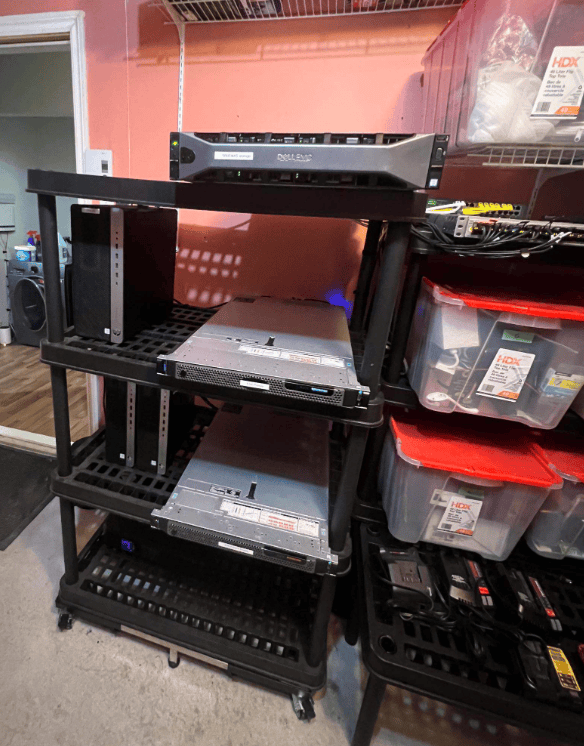
Yellow standard ethernet cables are used for IPMI (iDrac on the Dells, and Intel AMT on the HP EliteDesk SFFs)
WRAP-UP
This is my second post on TrueNAS (link to July 2024 post)
I’ve run it in one form or another for 2 years now, for SMB / and home use, to me, there is nothing better, but let me know in the comments or via DM on LinkedIn what you’re using and why
Owen Reynolds

